Directify
Directify Logo
Directify Logo
Directify

Changelog

Stay up to date with the latest updates and improvements to Directify

April 2026

5 updates

Organizers / Agencies

feature

A new first-class entity for managing organizers, agencies, studios, or any entity that owns or manages listings in your directory. Organizers have their own profile pages, contact info, and can be linked to multiple listings.

Admin Panel:

  • Full CRUD resource for organizers with logo, cover image, description, contact info, and social links
  • Assign organizers to listings via a multi-select on the listing form
  • Assign a submitter user to an organizer so they can manage their own profile
  • Custom fields support — create organizer-specific custom fields just like listings
  • Import/export organizers via CSV/XLSX for bulk operations
  • Reorderable table with drag-and-drop sorting

Settings & Configuration:

  • Enable/disable toggle — off by default, zero impact on existing directories until turned on
  • Configurable labels — rename "Organizer" to "Agency", "Studio", "Vendor", etc.
  • Configurable route slug — change /organizers to /agencies or any custom path

Public Pages:

  • Browse page with organizer cards showing logo, name, description, and listing count
  • Profile page with cover image hero, contact sidebar, social links, custom fields, and a grid of their listings
  • Template-aware views with automatic fallback to the default template
  • Breadcrumb navigation with dynamic labels

Submitter Panel:

  • "My Organization" page where assigned submitters can edit their organizer profile
  • New listings created by a submitter are automatically linked to their organizer
  • Navigation only appears when the user has an assigned organizer

API & Integrations:

  • Full REST API — GET/POST/PUT/DELETE /api/directories/{id}/organizers
  • MCP server support (both local and remote) with 5 organizer tools
  • CLI support — directify organizers list/get/create/update/delete
  • API documentation updated with full endpoint reference

Remote MCP Server

feature integration

You can now connect to Directify's MCP server remotely — no local installation required. Use it with Claude Desktop, Cursor, or any MCP-compatible client via the hosted endpoint.

What's new:

  • Hosted remote MCP server at mcp.directify.app
  • Works with any MCP client via mcp-remote (npx, no install needed)
  • All 31 tools available: manage directories, listings, categories, tags, articles, custom fields and custom pages
  • Authenticate with your existing Directify API token
  • Optional X-Directory-ID header to set a default directory
  • Claude web support — add https://mcp.directify.app/mcp as a connector in Claude.ai and authorize with your API token (OAuth flow)

Setup options:

  • Claude web: Add as connector at https://mcp.directify.app/mcp — authorize with your API token
  • Claude Desktop / Cursor: Use mcp-remote with Bearer token header (see docs)

The local npm package (directify-mcp) is still available and fully supported. The README now documents all options.

New Template: Events Directory

feature template

A vibrant events directory template is now available, purpose-built for event listings, conferences, meetups, festivals, and concerts with a time-first UX design.

Design & Layout:

  • Violet/fuchsia gradient palette with modern Inter typography
  • Date badge on every card (month + day + weekday) — server-side, no JS needed
  • Countdown indicators (Today!, Tomorrow!, In X days) with urgency animations
  • Frosted glass stats bar with "Happening Now" live count
  • Weekend timeline with Saturday/Sunday columns and timeline connectors
  • Horizontal calendar strip with event density dots for date-based browsing
  • Fully responsive with mobile filter drawer

Events-Specific Custom Fields:

  • One-click "Create Events Custom Fields" button in Design > General and Custom Fields
  • Auto-creates 12 fields: Event Date, Event Time, Venue, Ticket URL, Ticket Price, Format (In-Person/Virtual/Hybrid), Schedule/Agenda, Organizer Name, Organizer URL, Capacity, Attendees, and Features
  • Date, Time, Venue, Price, and Format display on listing cards

Unique Event Features:

  • Happening Now section with pulsing LIVE badges for today's events
  • Coming Up grid sorted by event date ascending
  • This Weekend timeline layout grouped by Saturday/Sunday
  • Calendar strip with 21-day date picker and event density dots
  • Price pill toggles (Any/Free/Paid) and format pill toggles (All/In-Person/Virtual/Hybrid)
  • Ticket sidebar with capacity progress bar, countdown, and Get Tickets CTA
  • Schedule/agenda display with headliner highlighting
  • Organizer card with initials avatar and website link
  • Attendee avatar stacks and capacity indicators on cards

All Standard Features Included:

  • Full listing detail page with gallery, key info grid (2x2), reviews, and sidebar
  • Public submission form with optional AI URL extraction
  • Blog, custom pages, categories, map view, and ads support
  • Search, filtering, sorting, tags, and pagination
  • SEO metadata, breadcrumbs, and schema markup
  • AI builder auto-selects events template for event-related directories

Directify CLI & MCP Server

feature api ai

Two new tools to manage your directory programmatically and with AI assistants.

Directify CLI (npm) A command-line tool for managing your directory from the terminal.

  • Create, update, delete listings, categories, tags, and articles
  • Bulk import from JSON files (up to 100 listings at once)
  • Set custom field values with --field key=value
  • JSON output for piping to other tools and LLM workflows
  • Install: npm install -g directify-cli

Directify MCP Server (npm) Connect your directory to AI assistants like Claude, Cursor, and other MCP-compatible tools.

  • 25 tools covering the full Directify API
  • Works with Claude Desktop, Claude Code, and Cursor
  • Tell AI "add 10 Italian restaurants" and it happens
  • Environment-based auth — just set your API token and directory ID
  • Install: npx directify-mcp

Both tools use the Directify REST API (120 requests/minute per directory). Get your API token from Settings > API.

Learn more at directify.app/ai-automation

New Template: Restaurant Directory

feature template

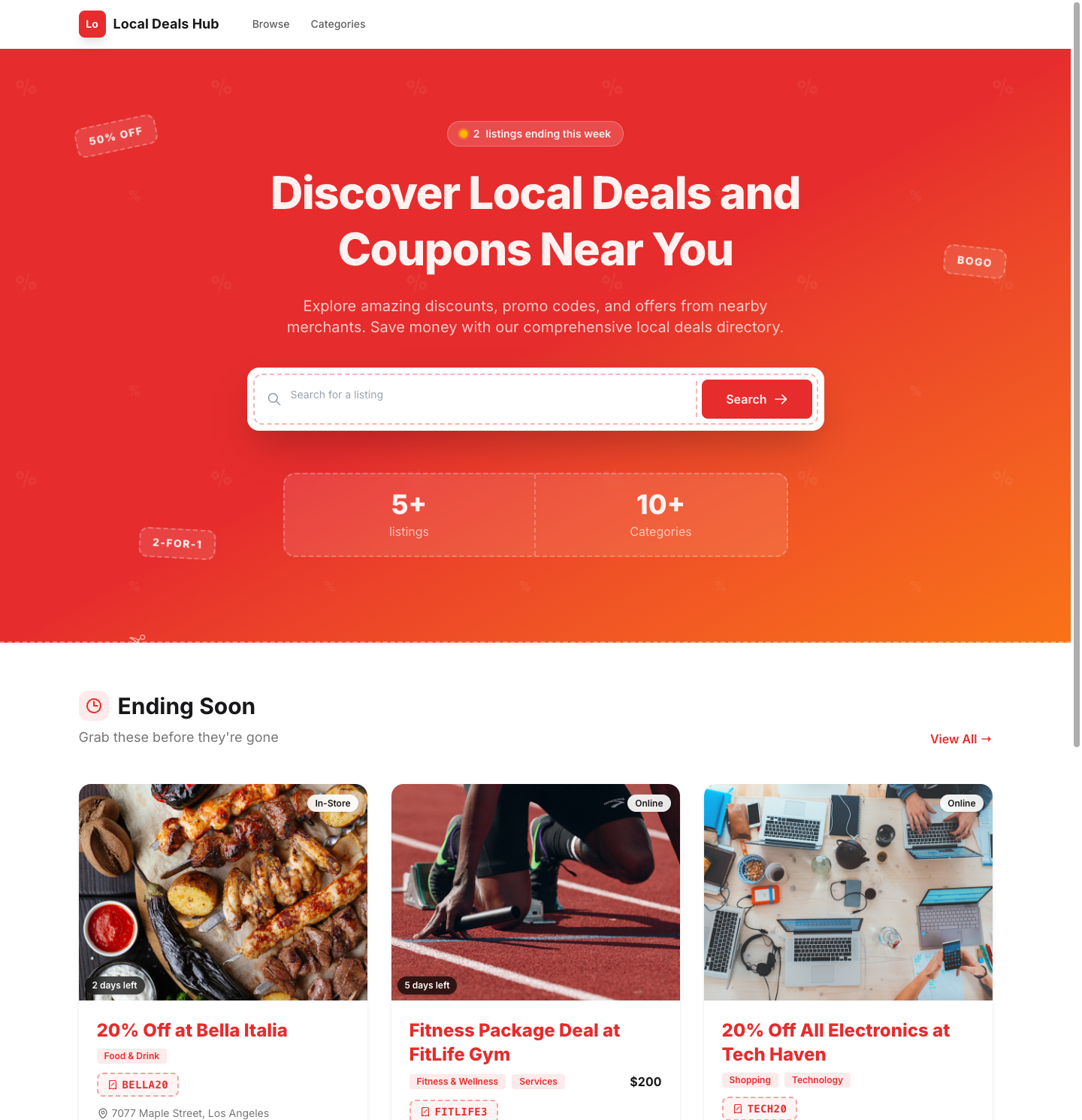
A new restaurant directory template is now available, purpose-built for food and dining directories with a warm, inviting design.

Design & Layout:

  • Warm orange/cream color palette with professional typography
  • Image-first restaurant cards with rounded corners and hover effects
  • Dark orange hero section with integrated search bar
  • Stats bar, featured listings section, and recently added rows
  • Cuisine/category browsing grid with image overlays
  • Fully responsive with mobile filter drawer

Restaurant-Specific Custom Fields:

  • One-click "Create Restaurant Custom Fields" button in Design > General and Custom Fields
  • Auto-creates 7 fields: Price Range (select), Cuisine Type, Hours of Operation, Reservation URL, Menu URL, Features & Amenities, and Menu Highlights (markdown)
  • Price Range and Cuisine Type display on listing cards

All Standard Features Included:

  • Full listing detail page with gallery, custom fields, reviews, and sidebar
  • Public submission form with optional AI URL extraction
  • Blog, custom pages, categories, map view, and ads support
  • Search, filtering, sorting, tags, and pagination
  • SEO metadata, breadcrumbs, and schema markup

March 2026

9 updates

Breadcrumbs for Listings & Category Pages

feature seo

Listing and category pages now support configurable breadcrumbs with full hierarchy navigation, plus category-based SEO page titles for listings.

Listing page breadcrumbs:

  • Show/hide breadcrumbs on listing pages via Settings > Listings > Breadcrumbs & SEO Title
  • Optionally include the first category: Home > Category > Listing
  • Works across all 10 templates

Category page breadcrumbs (new):

  • Breadcrumbs now appear on category listing pages with full parent/child hierarchy
  • Example: Home > Parent Category > Child Category
  • Supports up to 4 levels of nesting
  • Controlled by the same Show Breadcrumbs toggle

Category in SEO page title:

  • Optionally append the first category to the listing page title
  • Example: "Listing - Category - Site" instead of "Listing - Site"
  • Disabled by default, enable in Settings > Listings > Breadcrumbs & SEO Title

Hreflang SEO Support

feature seo

Directories now support hreflang tags for better international SEO.

What's included:

  • Hreflang language/region setting in Settings > SEO with 50+ language options
  • Self-referencing hreflang and x-default link tags automatically added to every page's HTML head
  • Hreflang annotations (xhtml:link alternates) included in sitemap XML entries
  • Default language is English (en), configurable per directory

Why it matters:

  • Tells search engines which language your directory content is in
  • Helps Google serve the correct language version to users
  • Follows Google's recommended hreflang implementation guidelines

AI-Powered URL Extraction for Public Submissions

feature ai public submissions

Directory owners can now enable AI-powered URL extraction to reduce friction for public listing submissions.

How it works:

  • Enable the feature in Settings > Public Submissions with the new "AI URL Extraction" toggle
  • Submitters paste a URL and click "Analyze Website" as a new Step 1 before the form
  • AI extracts listing details (name, description, content, social links, images, contact info) and pre-fills the submission form
  • Submitters review and edit the pre-filled data before submitting

Key details:

  • Requires an OpenAI integration to be configured for the directory
  • Works across all directory templates
  • Graceful fallback: if extraction fails, users are shown an error and can fill in the form manually
  • "Skip" option available for users who prefer to fill in the form from scratch

New Analytics Dashboard

feature analytics

The analytics dashboard has been completely rebuilt from the ground up with significantly more data and insights.

New features:

  • Country breakdown — see where your visitors are coming from geographically
  • Channel analytics — understand your traffic sources (organic, direct, referral, social)
  • Device, browser, and OS breakdown — detailed visitor environment data
  • Referrer details — see exactly which sites send you traffic
  • Top pages — see your most visited pages with percentage breakdowns

Improved filtering:

  • Filter by time period: today, yesterday, 7 days, 30 days, 6 months, 12 months
  • Filter by referrer, page path, or country for deeper analysis
  • All widgets update together when filters are applied

Better metrics:

  • Visitors and page views with trend comparison against previous period
  • Bounce rate with engagement quality indicators
  • Average visit duration
  • Sparkline charts for quick visual trends

The new dashboard replaces the previous beta analytics and is now available for all directories.

Map View Filters

improvement

Added search, category, and tag filtering to the map view page. Users can now filter listings directly on the interactive map. Filter states are saved in the URL for easy sharing.

Custom Error Pages

feature

Custom Error Pages

Directory owners can now create branded 404 error pages that match their directory's design.

What's New

  • Custom 404 Page — Write your own error page content using Markdown or HTML from Settings > Error Page
  • Directory-Themed — Custom error pages automatically use your directory's theme, header, and footer
  • Improved Default Errors — Default error pages have been redesigned with a clean, modern look
  • Specific Error Messages — Different error codes (402, 403, 404) now show distinct, helpful messages instead of a generic "not found"

How to Set Up

  1. Go to Settings > Error Page in your directory dashboard
  2. Write your custom 404 page content using the Markdown editor
  3. Save — visitors will now see your branded page instead of the default one

Interactive Map View

new feature

Interactive Map View

A new dedicated /map page that displays all your listings on an interactive map.

Key Features

  • Interactive map with marker clustering — automatically groups nearby listings for a clean view, even with thousands of pins
  • Rich popups showing listing image, name, and address with a link to the full listing page
  • Automatic geocoding — addresses are converted to map coordinates automatically in the background
  • Manual coordinates — latitude and longitude can also be edited from the listing edit page
  • Settings toggle — enable or disable the map view per directory from Settings > Listing
  • All templates supported

New Template: Real Estate

new template

New Template: Real Estate

We're excited to introduce the Real Estate template — a clean, professional layout designed for apartment directories, property listings, and real estate catalogs.

Key Features

  • Dark hero section with cover image background, search bar, and sort filters
  • Neighborhood browsing grid — image-first category cards with listing counts, perfect for location-based directories
  • Image-first property cards with featured badges, tag overlays, and custom field stats
  • Stats bar showing total listings, categories, featured count, and update frequency
  • Recently added section with compact row-based listing view
  • Full listing detail page with image gallery, custom fields, map embed, contact section, and similar listings
  • CTA section encouraging property submissions
  • Full theme support — works with all DaisyUI themes (light, dark, and more)
  • Mobile responsive across all pages with slide-out filter drawer

The template includes all standard pages: homepage with search, listing detail page, submission form, blog, and custom pages.

User Reviews for Listings

feature

⭐ User Reviews for Listings

Visitors can now leave star ratings and text reviews on individual listings, providing social proof and increasing engagement.

What's New

  • Star Ratings & Reviews — Visitors can rate listings from 1-5 stars and leave a written review with an optional title
  • Moderation Controls — Reviews can require approval before being publicly visible, giving directory owners full control
  • Dedicated Reviews Page — A new "Reviews" section in the sidebar shows all reviews across listings with filters for approval status and star rating
  • Spam Protection — Built-in honeypot, rate limiting (5 reviews/hour per IP), and duplicate email prevention keep reviews genuine
  • Per-Directory Toggle — Reviews are off by default and can be enabled per directory in Settings → Listing → Reviews
  • All Templates Supported — Reviews display consistently across all 9 directory templates

How to Enable

  1. Go to Settings → General → Listing tab → Reviews section
  2. Toggle Show Reviews on
  3. Optionally toggle Reviews Require Approval (enabled by default)

February 2026

1 update

New Template: SaaS / Tools

new template

New Template: SaaS / Tools

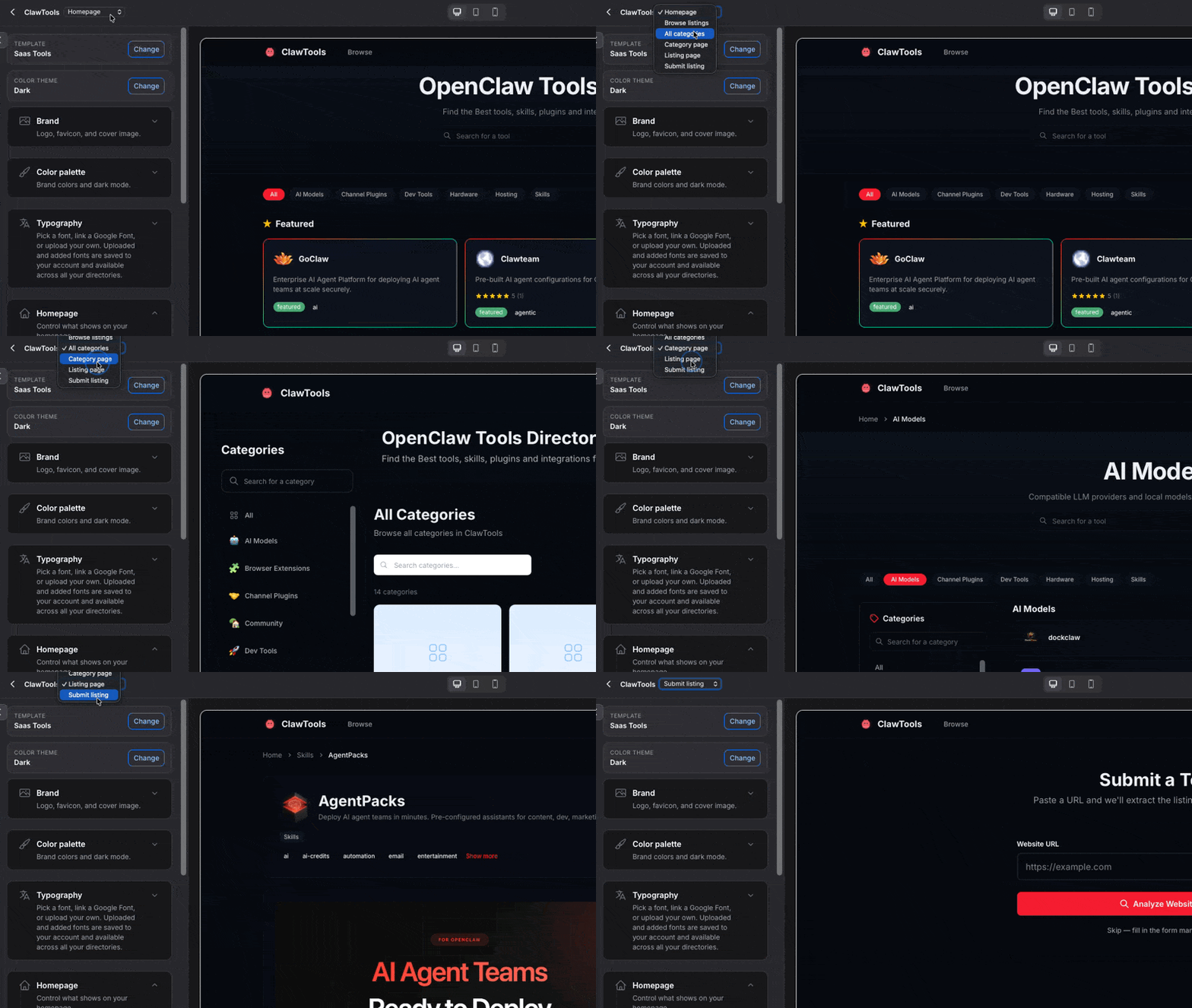
We're excited to introduce the SaaS / Tools template — an information-dense layout built for SaaS tool directories, software catalogs, and dev tool lists.

Key Features

  • Logo-first compact cards with automatic Google favicon detection when no logo is uploaded
  • Featured tools section showcasing up to 6 highlighted listings in a prominent grid
  • Sidebar filters with tag filtering, custom field filters, and sort options (Popular, Newest, Top Rated, A-Z)
  • Horizontal category pills for quick browsing, sticky under the navigation bar
  • Clean row-based listing design inspired by ProductHunt and AlternativeTo
  • Full theme support — works with all DaisyUI themes (light, dark, synthwave, and more)
  • Theme-aware pagination that properly respects your selected theme
  • Mobile responsive with a collapsible filter drawer

The template includes all standard pages: homepage with search, listing detail page, submission form, blog, and custom pages.

December 2025

6 updates

Create Directories with AI

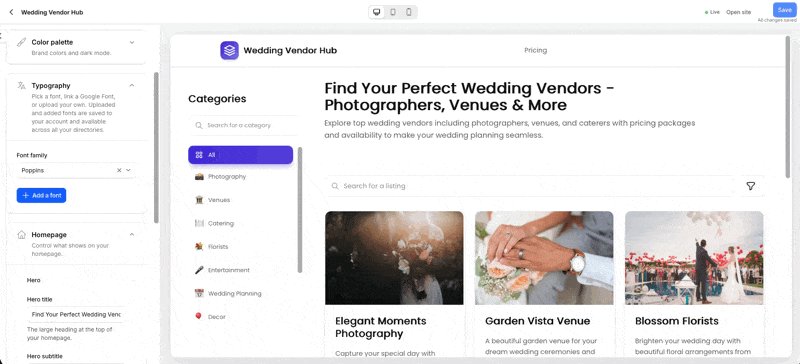
📘 How It Works

  1. 📝 Enter Directory Details
    Share what kind of directory you want to create (for example: Fine Dining Restaurants in New York).

  2. 🤖 AI-Powered Analysis
    Our AI analyzes your input to select the most suitable template and theme.
    It automatically generates a directory name, title, and description tailored to your niche.

  3. 📊 Smart Custom Fields
    Based on your directory type, the AI creates relevant custom fields.
    For a restaurant directory, this might include:

    • 🍽️ cuisine_type
    • 💲 price_range
    • 🌳 outdoor_seating
    • rating
  4. 🏷️ Categories & Tags
    Automatically generates meaningful categories and tags to improve organization and searchability.

  5. 📋 Instant Demo Listings
    Sample listings are created so you can preview the directory right away.
    You can remove or replace them anytime before going live.

👉 Try it out and see how fast you can launch a directory.
🌐 Example of a fully AI-generated directory: NYC Fine Dining

HTML/JS Custom Fields

  • New Feature: HTML & JavaScript Custom Fields
    • Add custom HTML or JavaScript directly to individual listings for advanced customization, embeds, tracking scripts, or custom UI tweaks.
    • Fully per-listing, giving you granular control without affecting the entire directory.
  • 📹 Tutorial: Step-by-step walkthrough on how to use this feature: Watch here

Updates in Stellar Template

  • 🌟 What’s New in the Stellar Template

    • 🎨 Full DaisyUI Theme Support
      Stellar now supports all DaisyUI themes, including dark mode — consistent with Aurora and other templates.
  • 🚀 Big Upgrade: Custom Themes

    • Build Your Own Theme
      Create fully custom themes by adjusting colors, borders, border sizes, radius, and more. You’re in full control of the look and feel.
  • 📹 See It in Action
    Watch the step-by-step video tutorial on creating custom themes: Watch Now

Updates in Aurora template

🔄 Changelog

  • 🌈 Aurora Template Updates
    • Improved color system to better align with all supported themes.
    • Fully compatible with DaisyUI themes for consistent styling across your directories 🎉

🚀 What’s Improved:

  • 🌍 Theme-Agnostic Design: Aurora now looks great across all DaisyUI themes.
  • 🌑 Dark Mode Ready: Cleaner, more consistent visuals in dark mode.
  • 🎨 Easier Customization: Theme tweaks and overrides now behave more predictably.

🔜 What’s Next:

  • 🛠️ Theme Generator (Coming Soon): Create custom themes and apply them to any template using the DaisyUI theme generator: DaisyUI Theme Generator 🌟

⚠️ Heads Up:

  • You might notice small color changes in some UI elements.
    If you prefer the previous featured badge style, you can restore it by adding this CSS to the featured badge settings:
text-xs w-fit rounded-full px-3 py-1 bg-gradient-to-r from-orange-500 to-orange-600 dark:from-orange-600 dark:to-orange-700 text-white font-bold shadow-lg shadow-orange-500/30 dark:shadow-orange-900/30

Improvements in Banner Ads

  • ✨ Duplicate Ads
    Click the duplicate icon next to any ad to instantly create a copy. The duplicate will be inactive and labeled "(Copy)" for easy editing before publishing. Perfect for maintaining consistency across your campaigns without reconfiguring settings!
    🔗 Learn more

  • 🖼️ Logo Upload
    You can now add your brand logo to hero ads! Simply upload in the ad editor and customize the size, borders, and styling with the paintbrush icon. Choose from various logo positions:

    • 🔝 Top-center
    • ⬅️ Left
    • ➡️ Right
  • 📦 Ordering
    Adjust the display order of your ads effortlessly after creation.

Improved Listing Deletion Performance for Large Directories

  • 🚀 Improved Listing Deletion Process
    • 🔄 Background Processing: The deletion of listings now occurs in the background.
    • 📩 Immediate Feedback: Users will receive an immediate response confirming that the deletion has started.
    • Efficient Performance: This enhancement allows for the deletion of thousands of listings without overwhelming the server or dashboard.
    • 🗂️ Detached Relations: The system will still effectively detach categories, articles, and other related data seamlessly.

November 2025

10 updates

Extended Search

search

Now our listing search support following:

  • by name
  • description
  • email
  • phone
  • address
  • tag
  • category

- custom fields search soon

PWA (Progressive Web Application)

pwa

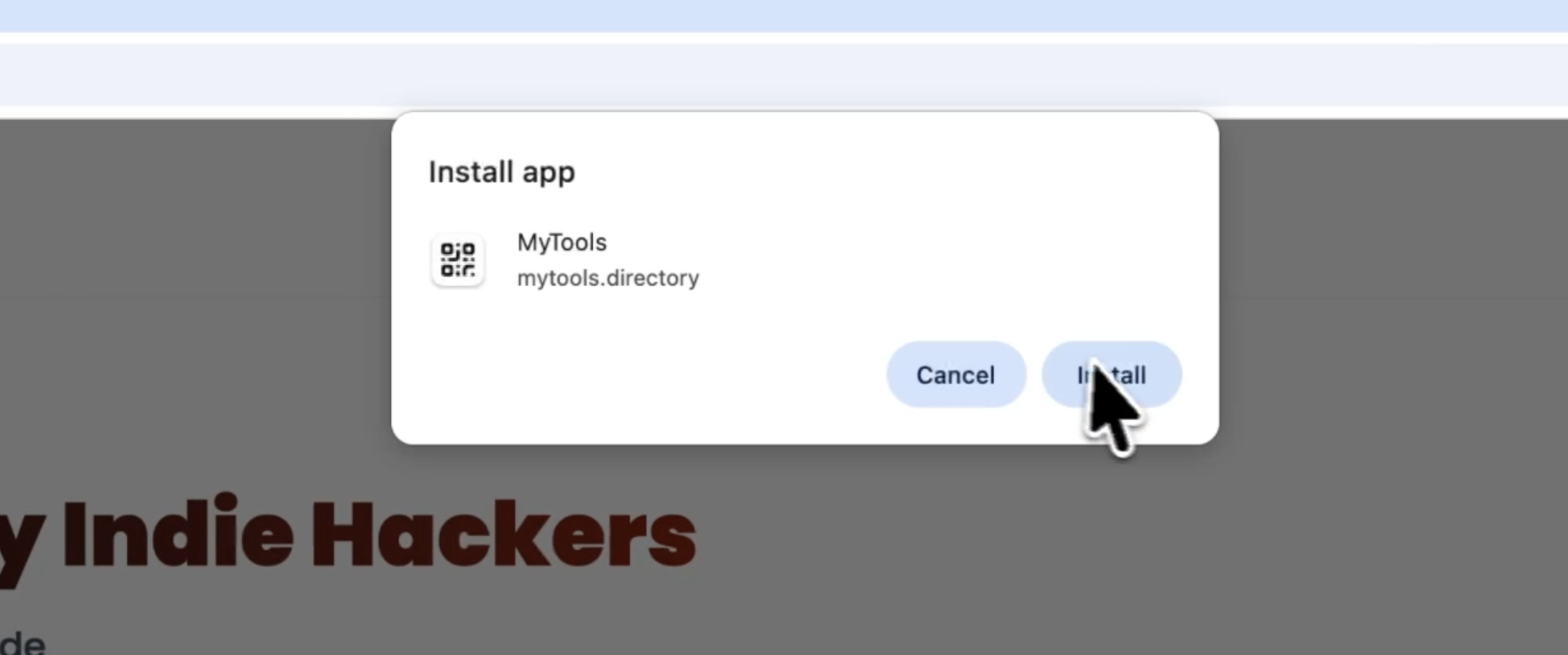
Now all directories will be able to be installed as an app in mobile or desktop

Internal User Emails

feature users

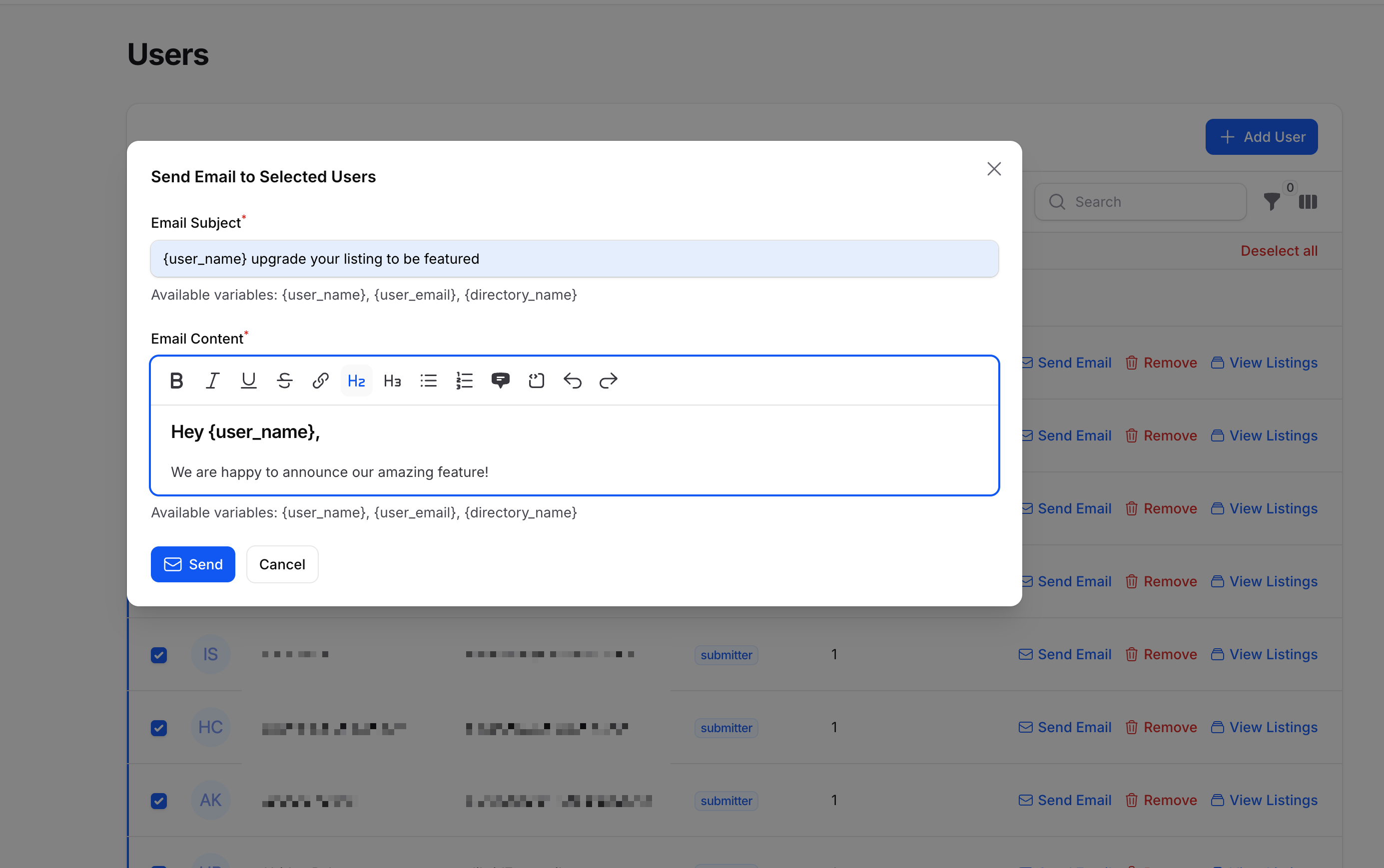
Stay connected with your directory submitters through our new Internal Email feature!

You can now easily reach out to one or multiple users directly from your dashboard — whether it’s to share updates, promotions, or important news.

The built-in rich text editor supports variables, links, and formatting, giving you full control over how your emails look and feel.

New way to manage users

improvement

The Users section has been moved out of the directory view and now lives on its own dedicated page.

This new page gives you more control and visibility:

  • Add and manage directory managers, editors, and viewers
  • View all users who have submitted listings to your directory
  • Access each submitter’s listings directly, update their roles, or remove them if needed

A cleaner, more organized way to manage your directory’s community.

Generate Content for Listings in Bulk (with AI)

feature ai

You’re going to love this one! 🎉

You can now select up to 100 listings at once and automatically generate markdown content for them — as long as you’ve added your OpenAI integration.

Why the 100-listing limit? Some of you have directories with 30,000+ listings, and running all of them at once would melt the servers (and your patience 😅).

To keep things smooth and within OpenAI’s limits, the system processes 10 listings per minute per directory — fast, safe, and efficient.

Support Messages from Dashboard

improvement

You can now reach out to me directly from your dashboard! 💬
No need to switch tabs — just open the chat and send your questions right from inside Directify.

Support options now include:

  • Chat: directly in your Dashboard or on the website
  • Discord: for specific issues and feature suggestions
  • Email: [email protected]

This update makes getting help faster and simpler than ever.

Internal Analytics

improvement

Improved our internal analytics system to more accurately exclude bots and crawlers, ensuring that metrics now reflect genuine human activity.

This enhancement is part of an ongoing effort to continuously identify and filter automated traffic for cleaner, more reliable insights.

Stripe in Paid Submission

improvement

Setting up Paid Submissions with Stripe is now even easier.

I’ve added a direct button that takes you straight to Stripe’s Restricted Key creation page — with all the required permissions pre-selected for Directify to operate smoothly.

Here’s exactly what permissions are included and why they’re needed:

  • rak_product_read – to read your products and display them on the payment page for submitters
  • rak_price_read – same purpose as product, used to show pricing details
  • rak_plan_read – same purpose as product, used for plan-based submissions
  • rak_checkout_session_write – to create a checkout session when a submitter proceeds to pay
  • rak_customer_write – to create a Stripe customer profile for the payment process
  • rak_webhook_write – to automatically create a webhook back to Directify, updating product and payment status in real-time within your dashboard

None of these permissions are sensitive — they’re safe to share and only grant limited access required for the Paid Submission workflow.

Enjoy the effortless setup and seamless integration!

Affiliate Program, 25% Recurring Commission Forever

🎉 Affiliate Program is Back — Earn 25% Recurring Commissions Forever!

We’ve relaunched our affiliate program after moving away from LemonSqueezy, and it’s now powered by Affonso.

Join today, share Directify with your audience, and earn 25% recurring commissions for life on every referral.

👉 Sign up here: https://directify.affonso.io/

Custom Codes - Per Page

feature custom codes
  • 🚀 Custom Pages Overhaul
    We have reworked our custom pages section, allowing for greater flexibility in how you design each page.

    • 🦸‍♂️ Hero Customization
      • You can now apply different Hero components on a per-page basis.
      • For example:
        • 🌍 Home Page: Unique Hero layout.
        • 📋 Listings Page: Distinct Hero setup.
  • 🎥 Feature Overview Video

    • Check out our detailed video explaining the new feature, including when and where it can be most useful:
      Watch Here

October 2025

6 updates

Custom Field Design Settings

feature custom fields

Control icon sizes and colors for custom fields. Adjust label and value sizes and colors. Add custom CSS classes with Tailwind support.

New Templates: Aurora & Stellar

feature template

Two beautiful new templates with fresh modern designs. Both templates are dark mode compatible.

Aurora example: mytools.directory Stellar example: laravelstarterkit.com

Banners

feature

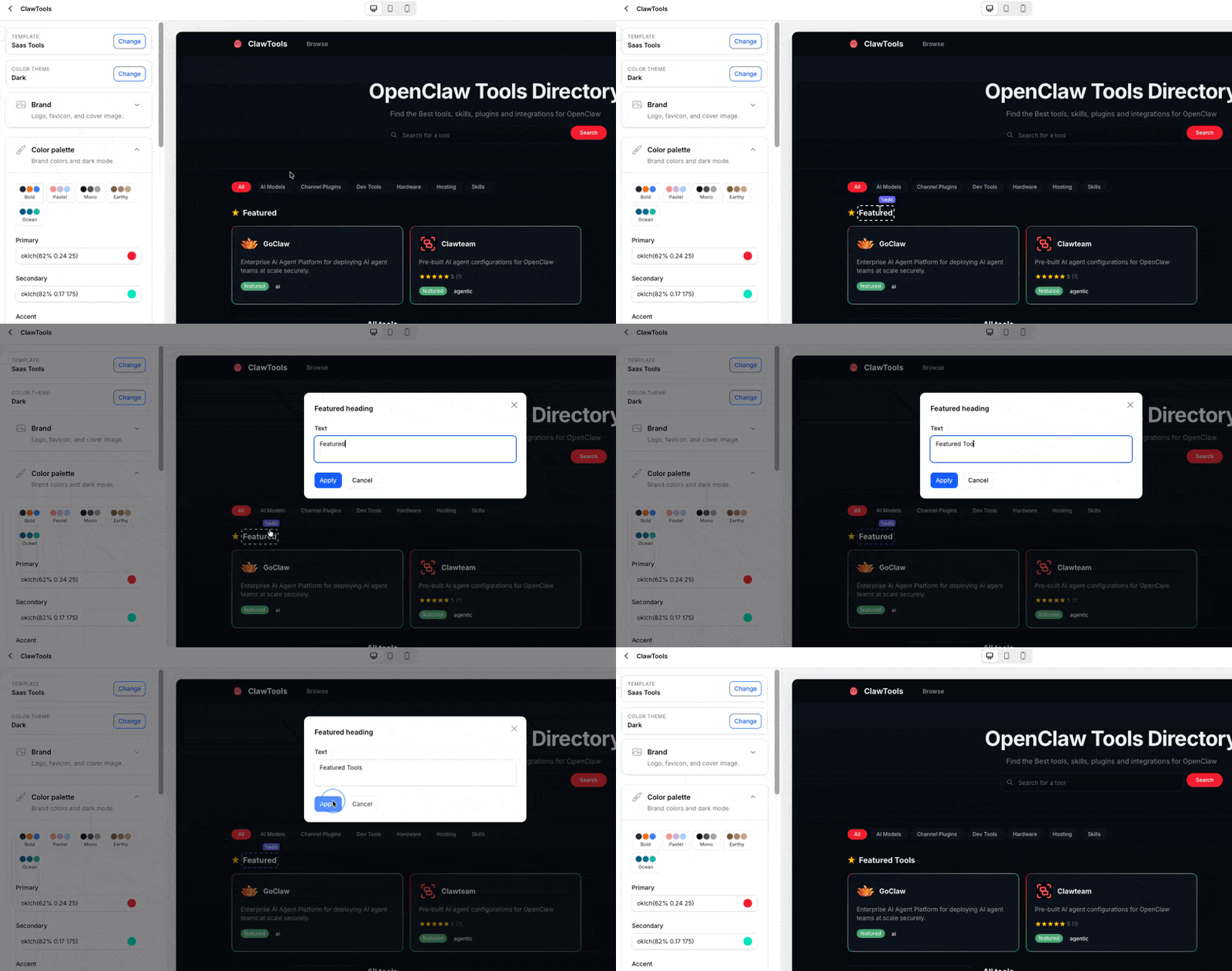
Added ability to display banners on top of directories. Perfect for announcements or promotional links with easy configuration through dashboard.

Fresh "Default" Template

feature template

Complete redesign of Default template (now "Default NEW"). Updated all components: forms, listing cards, blog articles. Switch available in Design tab.

Global Search

feature

Search across all your directories and resources. Quick navigation to edit items directly for improved workflow efficiency.

New Theme Selector

feature

Visual theme selector showing default colors. Three new themes added: Caramellatte, Abyss, Silk. Better preview of selected theme aesthetics.

September 2025

14 updates

Button Custom Field

feature custom fields

New custom field type for buttons. Uses primary button color by default. Custom color options coming soon.

Keep Current Directory Active

feature

Latest used directory stays active across sessions. No need to reselect directory on each visit for improved multi-directory workflow.

Related Listings Manual Selection

feature

Manually select related listings for each listing. Auto-displays 3 listings from same category if not set. Results cached for 1 hour.

Image Re-upload Features

feature

Re-upload CSV images to internal CDN bucket and re-upload images when syncing from Google Sheets for improved speed and reliability. Better image availability. Note: Auto-Screenshot and Re-Upload cannot work together.

Template Preview

feature

Visual previews when selecting templates for easier template selection process.

Loading Time Issue Fixed

bug fixes

Resolved server downtime related to analytics dashboard. Fixed analytics URLs being indexed by search engines.

Articles API

feature api

Full CRUD API for blog articles with integration support for auto-blog generators (SEOBot, Blogbuster, Outrank). Complete API documentation and Postman collection provided.

Category and Directory Title Headings

feature seo

Set default heading levels (H1/H2). Customizable in Settings > General > Directory for better SEO control.

Internal Analytics Dashboard

feature

View page views and traffic sources. Basic analytics built into dashboard. Upcoming: Device tracking and UTM parameters.

BlogBuster Integration

feature integration

Alternative to SEOBotAI for AI-generated articles with auto-publish capability and simple API key setup.

List Custom Field Type

feature custom fields

New custom field for displaying lists. Perfect for features like amenities and specifications with organized display of multiple items.

Dynamic Category Titles

feature

Create dynamic category headings using variables. Example: "Campsites in :category, Armenia". Eliminates need to manually update each category title.

Custom Domain & SSL Improvements

feature

Automatic DNS checking and SSL installation with auto-retry every 5 minutes on failure. Email notifications for success or failure with better status representation.

SSL and Custom Domain Connection Update

feature

Improved SSL installation flow with better error handling for DNS issues and clearer status messages.

August 2025

6 updates

Tag Icons

feature

Upload custom icons for tags with option to show icon only or with title for enhanced visual representation.

Modern Template Performance

feature template

Loading time reduced from 3-4s to ~200ms. Improved speed for blog articles with related projects (from 7s to ~500ms). Automatic FAQ schema markup added.

Old LemonSqueezy Invoices

feature

Access historical invoices from LemonSqueezy in user profile dropdown menu. New invoices now in Stripe dashboard.

Auto-Screenshot on Google Sheets

feature integration

Automatic URL screenshots when syncing from Google Sheets. Requires ScreenshotOne integration. Only captures if listing image is empty.

Platform Migration Complete

announcement

Successfully moved from LemonSqueezy to Stripe. All subscriptions preserved with no action required from users.

Platform Migration Announcement

announcement

Moving from LemonSqueezy to Stripe to resolve subscription update issues. Affiliate program transition planned. No action required from users.

July 2025

1 update

FAQ Markdown Support

feature seo

All markdown content now supports FAQ rendering with special FAQ syntax for structured questions/answers. Automatic rendering for SEOBot articles and schema markup compatible.

June 2025

8 updates

Bulk Assign Categories

feature

Select multiple listings and assign multiple categories at once for streamlined bulk management.

Footer Builder

feature

Built-in footer customization for all templates:

  • No custom code required
  • Add sections, links, and custom pages
  • Include social links
  • Customizable copyright text

Article Categories

feature

Add categories/tags to blog articles with smart suggestions from existing categories for better article organization.

Job Board Template (Beta)

feature template

First version of Job Board template including "Create Job Board Custom Fields" button. Beta testing available.

Upvote Listings

feature

Voting system for listings with visitor engagement feature. Enable in Settings > General > Listing.

Cookie Banner Settings

feature

Configurable cookie consent banner with customizable text, button labels, and color customization. Found in Settings > General > Directory.

Custom Field Enhancements

feature custom fields

Audio/video files auto-convert to players. Upload custom icons instead of labels for enhanced media display.

Import Limits Reinstated

feature

CSV import limited to 1000 rows. Chunk large files for import to prevent system overload.

May 2025

8 updates

Google Sheets Sync Limit

feature integration

Sync allowed once every 12 hours. Automatic sync at midnight UTC. Includes manual sync in limit.

Google Sheet Sync Issues Fixed

bug fixes integration

Resolved sync issues for large datasets (2K+). Stable sync restored.

Listing Rating Ability

feature custom fields

Rating custom field type (0-5 stars). Display on listing cards and pages. Google Sheets compatible with export/import support.

Leads Exporter

feature

Export lead data from forms. Available in dashboard.

Content Generation with AI

feature ai

ChatGPT/OpenAI integration for auto-generating listing content with custom instruction support. AI generation during import coming soon.

Subcategory Listings

feature

Parent categories now show child category listings with hierarchical listing display. No need to attach both parent and child categories.

Top Categories Selection

feature

Manual selection of top categories. First 5 categories auto-selected initially. Doesn't affect sidebar category order.

Blog Cover Image Separation

feature

Modern template now uses separate cover images. Blog cover and hero cover are independent.

April 2025

9 updates

Chrome Extension Released

feature

Save listings with one click. Available on Chrome Web Store with demo video.

Disable "Show Listing" Pages

feature

Option to disable individual listing pages and display listings as cards only. Settings > General > Listing.

Hide Categories Sidebar

feature

Option to hide sidebar in Default and Whimsy templates. Settings > General > Category.

Sync Sitemap Manually

feature seo

Manual sitemap sync available in SEO tab. Auto-syncs daily by default.

Robots.txt Customization

feature seo

Add custom settings to robots.txt. Support for Google Ads access and similar services.

Image Settings

feature

Configure image crop/resize behavior, choose aspect ratio (default 16:9), and set maximum height for cover images. Settings > General > Listing.

Default Sorting Options

feature

Select default sort: name, order, created_at, updated_at. Featured listings always on top. Settings > General > Listing.

Bulk URL Info Pulling

feature

Pull missing information from URLs in bulk with same functionality as single listing feature.

Whimsy Template (Beta)

feature template

New template available for beta testing.

March 2025

20 updates

Claim Listings Feature

feature

Users can claim ownership of listings with admin approval/rejection system, email notifications, and automatic submitter account creation. Disabled by default in Settings > General > Listing.

Listing Page Tabs

feature

Quick filtering: active/inactive. Filter: paid/unpaid submissions.

Submitter Dashboard Overhaul

feature

New capabilities:

  • Update listing functionality
  • View listing status
  • Pay for listing
  • Delete listing
  • Configurable permissions in Public Submission settings
  • "Requires Approval" support for updates

CDN Image Cleanup

feature

Images removed from CDN after listing deletion (may remain cached temporarily).

CSV Import Changes

feature

Disabled when Google Sheets connected. Use Google Sheets for bulk imports to prevent conflicts and limit issues.

Leads Under Forms

feature

Leads moved to respective form views for better organization.

SEOBotAI Integration

feature integration

Connect via REST API key for daily article pulling, auto-publishing, and email notifications.

Custom Payment Providers

feature integration

Support for PayPal, RazorPay, Creem, etc. Payment link integration works alongside Stripe and LemonSqueezy.

Listing Export Enhanced

feature

Now includes categories and tags. Custom fields coming later.

Category Export Fixed

bug fixes

Long-standing export issue resolved.

Queue System Overhaul

feature

Improved import handling, better Google Sheets limit management, no failed imports due to API limits, ScreenshotOne limit protection, and webhook rate limiting prepared.

Webhooks

feature integration

Listen for events (project.created, lead.created) with Zapier integration support for endless automation potential.

Open Graph Image Generator

feature

Free tool for OG image creation with customizable branding and text. Internal implementation for auto-generation coming.

Custom Field Ordering

feature custom fields

Drag-and-drop field reordering. Display order matches dashboard order.

Tags and Social Links in Submissions

feature

Public submissions can now include tags and social links.

Domain/DNS/SSL Channel

announcement

Dedicated support channel created for domain and SSL issues.

Sitemap Performance Boost

feature seo

Super fast sitemap generation with fixed parent_id loop issues. Static file generation with daily auto-updates. Manual update button coming.

Google Sheet Improvements

feature integration bug fixes
  • Two-Way Sync now automatic
  • Categories and tags sync fixed
  • Better handling of large imports (9000K+)
  • API limit improvements

Productlift Migration

announcement

Roadmap moved from Canny to Productlift. All website links updated.

Community Guidelines Reminder

announcement

Reinforced Discord server rules:

  • Explore app and docs before asking questions
  • Check existing roadmap and feature requests
  • Participate in discussions
  • Stop asking for ETAs on features
  • Include directory domain when reporting bugs
  • Use channels instead of personal DMs
  • Respect community requests

February 2025

12 updates

Compact Template (Beta)

feature template

New template using logos instead of cover images. Compact version of default template available for beta testing.

Custom Icons for Categories

feature

Upload custom icons for categories or add custom icon URL option. Works with Category Import.

Redirects Feature

feature

Create custom redirects for changed page slugs. Only use paths, not full domains. Browser caching warning included.

LTD Price Increase

announcement

Last day for $149 LTD pricing. Price increase at midnight.

Google Sheets Integration

feature integration

Create directories directly from Google Sheets with optional two-way sync. Automatic sync to Google Sheets when enabled. Complete tutorial video provided.

OpenAI for SEO (Out of Beta)

feature seo ai

Generate SEO metadata with OpenAI. Add your own OpenAI key. Available in integrations.

Alt Texts for Images

feature seo

Custom alt texts for listing logo and cover images for better SEO and accessibility.

Bulk Screenshot

feature

Screenshot multiple listings at once. Only screenshots listings without cover images. Requires ScreenshotOne integration.

Password and Email Update

feature

Update account password and change account email. Long-requested feature now available.

Custom Colors for Tags

feature

Individual color customization for tags for better visual organization.

Design Feature Launch

feature design

Customize your directory design:

  • Update hero title colors
  • Customize primary color
  • Separate button colors (hero, search)
  • Top category colors
  • Search bar colors
  • Menu item colors

Works best in Modern template.

Modern Template Released

feature template

New modern template design with enhanced design customization options.

January 2025

21 updates

Bug Reporting Guidelines

documentation

Mandatory to include directory domain when reporting issues. Include template name and exact URLs where issues occur.

Screenshot of URL During Import

feature

Take screenshots during import process. Requires ScreenshotOne integration.

SEO Info in Listing Import

feature seo

Add seo_title, seo_description, and og_image during import. Import now supports categories, tags, SEO, and custom fields.

Import Bug Fixes

bug fixes
  • Fixed no-follow default on import
  • Fixed form submit issue with two-word names
  • Fixed additional images disappearing after update

Bulk Follow/No-Follow

feature seo

Make all listings dofollow or nofollow in bulk for quick SEO management.

Bulk Publishing

feature

Bulk publish listings, categories, and articles. Fixes forgotten "publish by default" on import.

Custom Email Providers

feature

Connect Mailgun, Postmark, Resend, SES, or any SMTP provider. Send emails from your own domain with no Directify association.

Maps on Listings

feature

Show Google Maps on listing pages. Enable in Settings > General > Listing. Requires address field.

Custom Fields in Import

feature custom fields

Map custom fields during import for complete import functionality.

Schema Markup per Entity

feature seo

Add custom Schema Markup to any listing, category, or page. JSON code input in SEO section (no script tags needed).

Ad Banners

feature

Three types of ad banners available:

  • Default: title, description, image, link
  • Editor: Rich Editor with Markdown support
  • HTML: Custom HTML code

Features custom CSS classes and UI configurations.

Subdomain Migration Complete

announcement

All subdomains now use .directify.xyz. Old .directify.app subdomains deprecated. Custom domains unaffected.

Subdomain Migration Announcement

announcement

Migration from .directify.app to .directify.xyz for SEO protection of main domain. One week transition period with CNAME update required for custom subdomains. Custom domains unaffected.

SEO Generation Fix

bug fixes seo ai

Fixed AI SEO generation for long content.

Parent Category in Import

feature

Specify parent_title in Category CSV import for automatic category attachment.

4th Level Sub-Categories

feature

Additional subcategory level now available for deeper category hierarchy.

Listing Import Categories and Tags

feature

Specify categories and tags per listing on import using comma-separated format. Auto-creates non-existing categories, attaches existing categories, and prevents duplicates.

Filters Enhancement

feature filters custom fields

All supported custom field types now available in filters: Checkbox, Date, and Number fields are filterable.

Tags Reworked

feature

Tags now work exactly like categories. Previous tags have been imported to the new structure.

Public Submissions Enhancement

feature custom fields

Add content before and after submission form (Markdown/Editor). Customize labels and add descriptions to each field. Custom fields now available in public submissions.

Screenshot and AI SEO Options

feature seo ai

Choose screenshots over OG images and auto-SEO data generation with AI. Available during URL import.

December 2024

19 updates

Custom Routes for All Pages

feature seo

Update routes for all pages in Directify:

  • Change listing structure: /{category-slug}/{listing-slug}
  • Remove /categories/ from URLs
  • Flexible route configuration
  • Documentation and video tutorial provided

Generate SEO Metadata with AI

feature seo ai

AI-powered SEO generation using ChatGPT API. Currently in beta using Directify API keys. Custom API keys coming after beta, with bulk auto-generate in import script planned.

Categories Auto-Redirect

feature

Automatic redirects for category route changes. Note: Browser cache warning for permanent redirects - use incognito to verify settings.

Listings Auto-Redirect

feature

Automatic redirects for listing route changes. Old URLs continue to work for listings without categories.

Multiple Images for Listings

feature

Add multiple images beyond the cover image with simple carousel display. This was a highly requested feature.

Documentation Launch

documentation

First version of docs published at docs.directify.app. Images and videos in progress, with more documentation and tutorials coming.

Code Editor for Custom Codes

feature

Syntax highlighting for easier code editing. Not a full IDE but improves readability and provides a better development experience.

Tailwind Classes Fixed

bug fixes

All Tailwind classes now work in custom codes including border colors, background colors, and text sizes. Featured badge sizes fixed. v0.dev component compatibility improved.

Custom Routes for Listings

feature seo

Customize your listing URL structure for better SEO flexibility.

Filters UI Fixes

bug fixes filters

Fixed small UI bugs related to filters, including mobile funnel icon scroll issue.

Custom Fields in Filters (Number)

feature custom fields filters

Number custom fields are now filterable. Enable via "Filterable" toggle in custom field settings.

Filters: Tags and Featured

feature filters

New filter options:

  • Filter by tags
  • Filter by featured listings
  • Custom fields in filters coming soon

Custom Fields in Public Submission

feature custom fields

Enable "Show on public submission" toggle to collect custom field data from submissions.

Import Bug Fixes

bug fixes

Fixed is_active and other boolean fields to ensure better data import reliability.

Custom Field Deletion Fix

bug fixes custom fields

You can now delete custom fields that have existing values, and remove custom field values from listings.

Custom Field Bug Fixes

bug fixes custom fields
  • Fixed deletion when values exist
  • Fixed removing custom field values from listings

Custom Fields Launch 🔥

feature custom fields

We've launched Custom Fields with 10 types:

  • Text, Number, Date, File Upload, URL, Email
  • Rich Editor, Markdown, Textarea, Checkbox

Features:

  • Choose field placement on listing pages
  • Display on listing cards
  • Custom CSS classes for styling (.custom-field, .custom-field-label, .custom-field-value)
  • Type-specific classes (.markdown, .url, etc.)
  • Default value support

Coming soon: Dropdown, Tags, Radio, Multiselect, Filters, Public submission support

Bug Fixes

bug fixes
  • Fixed "Made with Directify" pagination
  • Fixed menu items for header links
  • Fixed sidebar icon for mobile
  • Fixed sidebar height
  • Fixed "Featured" badge positioning

Directory Email Branding

feature

Emails are now sent from your directory name and owner email, no longer from Directify. "Listing is Published" emails use directory branding, and the submitter dashboard shows your directory name.

Start Building Your Directory Today

Join creators who are turning their ideas into profitable directories.
Free to build and preview
7-day free trial
Cancel anytime