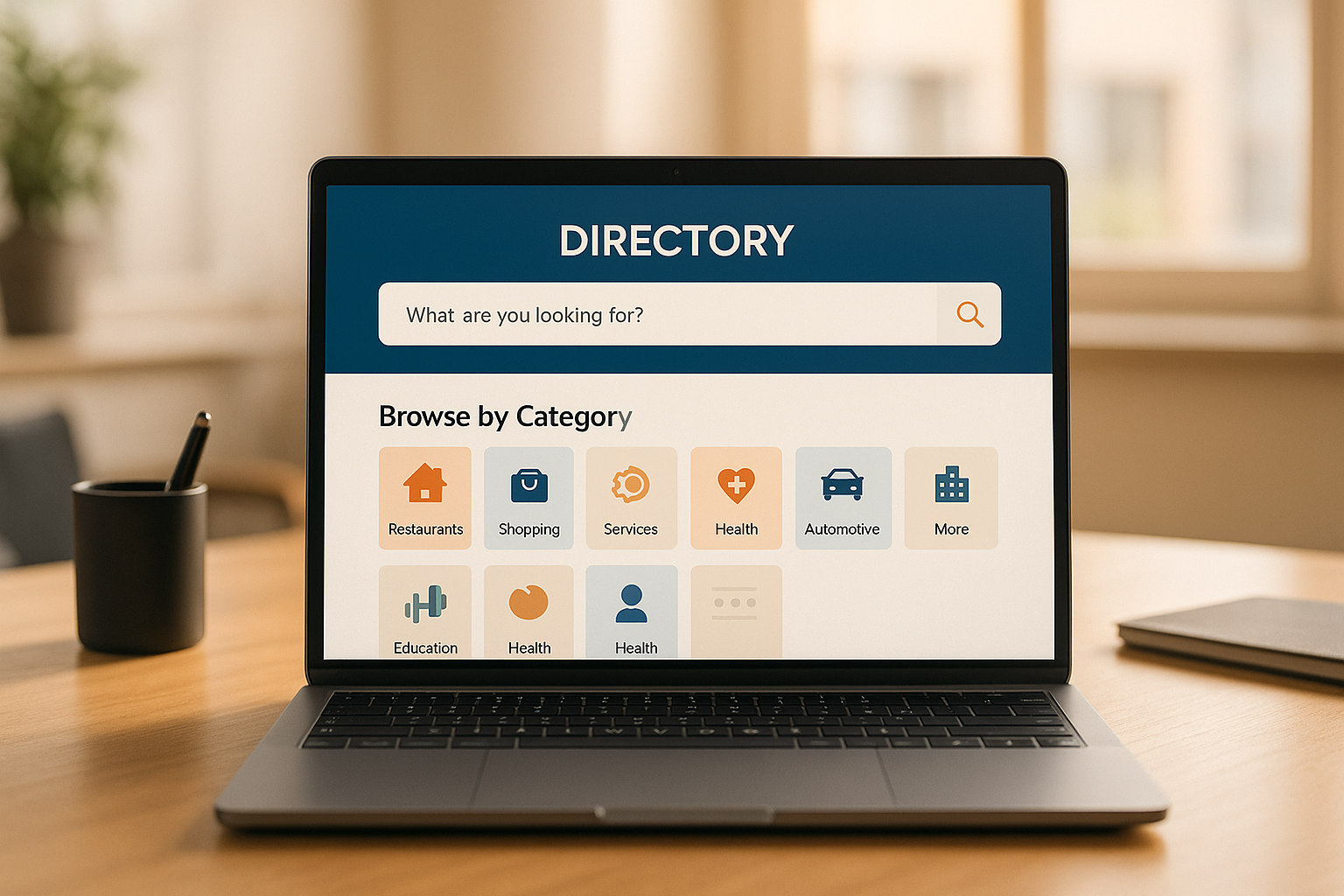
no-code directory builder websites make building professional directories easy, but they come with security risks you need to address. Here are the 10 most common security risks and how to handle them:
- Weak Login and Access Controls: Use strong passwords, two-factor authentication (2FA), and role-based access.
- Unprotected Data Access: Encrypt sensitive data and limit access with permissions.
- Missing Data Encryption: Ensure SSL/TLS encryption for data in transit and at rest.
- Exposed Access Credentials: Never store credentials in plain text or code. Use secure vaults.
- Missing Input Checks: Validate all user inputs to prevent SQL injections and XSS attacks.
- Unsafe External Tools: Regularly review third-party plugins and APIs for vulnerabilities.
- Wrong Security Settings: Configure SSL, CDN, and other security settings properly.
- Outdated Software: Update all tools, plugins, and custom code regularly to patch vulnerabilities.
- Poor Activity Tracking: Monitor logs for failed logins, suspicious activity, and system changes.
- Excessive User Permissions: Apply the principle of least privilege and review permissions often.
Key Actions to Stay Secure:
- Enable encryption (SSL/TLS) across your site.
- Use role-based access controls for users.
- Conduct regular security audits and updates.
- Monitor user activities and system logs.
- Avoid hardcoding credentials and validate all inputs.
By addressing these risks, you can protect sensitive data, maintain user trust, and ensure your no-code website stays secure.
Webcast: OWASP Top 10 Security Risks for Low-code/No-code
1. Weak Login and Access Controls
Poor authentication measures on no-code directory websites can leave sensitive data and user accounts vulnerable. Strengthen your access controls to protect these critical assets. Tools like Directify's user management features can help you manage access by assigning roles and limiting sensitive data access to authorized users only. Up next, we’ll dive into the risks tied to unprotected data access.
2. Unprotected Data Access
Exposing sensitive user details, business listings, and communications to unauthorized users can lead to serious security risks. Below are common vulnerabilities and practical steps to mitigate them.
Where Data Exposure Happens
- Misconfigured server settings
- Incorrect user permissions
- Data transfers without encryption
- Weak access control systems
Addressing these issues is a must before focusing on securing data during transmission.
Key Security Measures
Implementing a structured permission system helps restrict user access to only the data they need. Platforms like Directify include team collaboration tools and permission management features to simplify this process.
Examples of Access Levels:
| Access Level | Data Permissions | Security Requirements |
|---|---|---|
| Admin | Full system access | Two-factor authentication, IP restrictions |
| Editor | Content management | Role-based access control (RBAC) |
| Contributor | Limited data access | Standard authentication |
| Viewer | Read-only access | Basic authentication |
Securing Data Transmission
To protect data during transit, use SSL certificates and Content Delivery Networks (CDNs). Directify integrates SSL and CDN features directly into its security options, making this step easier.
Top Tips for Protecting Data
- Implement role-based access control
- Always enable SSL encryption
- Schedule regular security audits
- Use automated tools for hosting and deployment security
3. Missing Data Encryption
Encryption is a key defense against unauthorized data access, securing sensitive information both during transfer and while stored. For no-code websites, encryption is especially important to protect private data from cybercriminals. Here’s a closer look at the types of data that need encryption and how to safeguard them.
Types of Data Requiring Encryption
| Data Type | Risk Level | Recommended Protection |
|---|---|---|
| Payment Information | Critical | End-to-end encryption, PCI DSS compliance |
| User Credentials | High | Password hashing and salting |
| Personal Information | High | At-rest encryption, SSL/TLS |
| Business Data | Medium | Database encryption |
Where Encryption Often Falls Short
Encryption weaknesses are typically found in two areas:
Data in Transit
This includes login credentials, form submissions, API access communications, and file transfers that lack SSL/TLS protection. Without this, sensitive data can be intercepted during transmission.
Data at Rest
Stored information, such as passwords, personal details, payment records, and business data, may lack proper encryption, leaving it vulnerable to breaches.
Key Security Measures to Implement
SSL Certificate Setup
An SSL certificate encrypts the connection between users and your website. It also builds trust with visitors by displaying security indicators like HTTPS and can even boost search engine rankings.
Database Encryption
Use strong encryption algorithms for stored data, secure encryption keys, and rotate them regularly. Access to the database should also be logged to monitor activity.
Tips for Securing No-Code Websites
- Enable SSL across all pages and subdomains by default.
- Use custom domains with valid SSL certificates.
- Regularly check your encryption status with security headers.
- Keep track of SSL certificate expiration dates.
- Store passwords securely using hashing and salting methods.
Signs of Weak Encryption
Be alert to these red flags:
- Browser warnings or missing HTTPS symbols.
- Forms that submit data without encryption.
- Passwords stored in plain text.
- Databases with unencrypted connections.
Platforms like Directify help address these concerns by providing free SSL certificates and support for custom domains, giving your no-code directory website an added layer of security. Strengthening these measures can significantly reduce the risk of data breaches.
4. Exposed Access Credentials
Exposed credentials can lead to unauthorized access to sensitive data and administrative functions, creating serious security risks for no-code directory websites.
Common Exposure Points
Hard-Coded Credentials
Embedding keys and passwords directly in configuration files or source code makes them vulnerable to theft.
Improper Storage of Credentials
- Storing credentials in plain text within databases
- Leaving configuration files unprotected
- Exposing environment settings
- Saving API keys on the client side
Critical Access Points to Protect
| Access Type | Risk Level | Security Measure |
|---|---|---|
| Admin Login | Critical | Enable multi-factor authentication |
| API Keys | High | Store securely in environment variables |
| Database Credentials | Critical | Use encrypted configuration files |
| Service Accounts | High | Apply role-based access control |
Securing these access points is essential to avoid credential exposure.
Best Practices for Credential Management
Secure Storage Methods
- Encrypt environment variables
- Use secure credential vaults
- Automate the rotation of service account keys
- Hash passwords with strong algorithms
Access Control Measures
- Implement role-based permissions
- Set session timeouts
- Apply IP-based access restrictions
- Use secure methods for password resets
Monitoring and Alerts
- Track failed login attempts and unusual activity
- Set up alerts for any credential changes
- Conduct regular audits of access logs
Key Warning Signs
Be alert to these signs of credential exposure:
- Connection strings visible in configuration files
- Credentials found in client-side code
- Publicly accessible administrative endpoints
- Default passwords that haven’t been updated
- Team members sharing login credentials
Routine audits and strict credential management are critical to mitigating these risks. No-code directory platforms, such as those built with Directify, must prioritize credential protection to safeguard sensitive information.
5. Missing Input Checks
When websites lack proper input validation, they become vulnerable to serious security issues. Unchecked form fields or data entry points can open the door to various cyberattacks.
Common Input Validation Risks
-
SQL Injection
Attackers can manipulate or steal data by injecting malicious SQL commands into unprotected fields. -
Cross-Site Scripting (XSS)
Unchecked text fields allow harmful JavaScript to be injected, which can lead to session hijacking, account takeovers, or malicious redirects.
Regularly auditing your site can help identify and fix these gaps in input validation. Next, we’ll look at how unsafe external tools can compromise website security even further.
6. Unsafe External Tools
Third-party tools and plugins can increase the risk of security breaches by expanding the potential attack surface. Let’s explore how to reduce these risks through careful checks and smart practices.
Common Integration Risks
External tools often need broad access to work correctly, which can lead to several vulnerabilities:
- API Access: Overly broad permissions can leave data exposed if not regularly reviewed.
- Authentication: Poor credential management can create security gaps.
- Code Injection: Malicious plugins might introduce harmful code into your system.
Security Best Practices
To minimize risks, focus on permissions, verify sources, and monitor activity:
-
Review Permissions:
- Check the access levels each integration has.
- Remove permissions that aren’t necessary.
- Identify and delete unused tools or integrations.
-
Verify Sources:
- Stick to plugins from reputable marketplaces.
- Research the developer’s history for any past security issues.
- Look at user reviews and ensure the plugin is updated regularly.
Regular Security Maintenance
Consistent upkeep is key to staying secure. Make it a habit to:
- Review settings for all integrations.
- Keep plugins updated to the latest version.
- Test functionality after updates to ensure everything works as expected.
- Run scans to check for vulnerabilities.
When choosing external tools, prioritize those with a solid security record and frequent updates.
sbb-itb-adc1e8a
7. Wrong Security Settings
Incorrect security settings can leave your no-code directory vulnerable to potential threats. This becomes even more critical when custom code is added, as it can sometimes override essential protections like SSL and CDN.
When working with custom code, make sure to:
- Check your SSL certificate: It should be valid, up-to-date, and HTTPS must be enforced.
- Review your CDN settings: Ensure they are configured correctly to maintain performance and security.
It's a good idea to regularly review your platform's security settings. While platforms like Directify provide secure hosting with built-in SSL and CDN features, always confirm that your customizations don’t disrupt these protections.
Up next, learn how outdated software can further compromise your security.
8. Outdated Software
Using outdated software can put no-code directories at risk. Even if core updates happen automatically, custom elements still need attention to avoid potential security issues. Regular checks help ensure both core and custom parts stay secure.
Key Risks of Outdated Software
- Known Vulnerabilities: Delays in applying patches leave your system open to attacks through already-documented exploits.
- Compatibility Issues: Older components might not work well with newer features, potentially weakening security.
Components That Need Attention
- Custom code snippets
- Third-party integrations
- API connections
- Themes
- Plugins or extensions
Platforms like Directify handle core updates automatically, but custom-built elements require manual maintenance. Keeping these elements updated and monitoring integrations is essential.
Tips for Maintaining Software
-
Set a Regular Update Schedule
Plan monthly reviews for custom components to ensure they work as intended and remain secure. -
Test Updates Before Applying
Use a staging environment to test updates before rolling them out to your live site. This helps catch any issues caused by incompatible changes. -
Track Dependencies
Maintain a list of all third-party tools and integrations. Subscribe to security alerts for these components to stay informed about updates.
Next, let’s look at how poor activity tracking can weaken your website's security.
9. Poor Activity Tracking
Failing to properly track user activities and system events can leave no-code websites exposed, making it harder to spot suspicious behavior or investigate security incidents.
Key Monitoring Gaps
-
Failed Login Attempts
Without tracking repeated login failures, identifying brute force attacks targeting user accounts becomes nearly impossible. -
Data Access Patterns
Skipping logs of unusual data requests or access patterns can leave potential unauthorized activities unnoticed. -
System Changes
Not recording configuration updates, plugin installations, or permission changes can create blind spots in your security.
Must-Have Activity Logs
To enhance security, ensure your system tracks these key activities:
- User authentication events
- Data modifications and exports
- Configuration changes
- API access and usage
- File uploads and downloads
Improving Activity Tracking
-
Use Detailed Logging
Record timestamps, IP addresses, and user IDs for important events to build a solid audit trail. -
Set Up Alerts
Configure alerts for multiple failed logins, unusual data exports, or unexpected system changes to respond quickly. -
Keep Logs Long Enough
Store activity logs for at least 90 days to support investigations and meet security standards. -
Review Logs Regularly
Schedule weekly log reviews to spot trends or anomalies that could signal security issues.
Common Tracking Mistakes
| Oversight | Security Impact | Fix |
|---|---|---|
| No IP logging | Can't trace attack sources | Enable IP tracking for logins |
| Incomplete user action logs | Hard to investigate incidents | Record all critical user activities |
| Limited log retention | Restricts investigation capability | Store logs for 90+ days |
| No real-time alerts | Delayed threat response | Set up instant notifications |
Directify's tracking tools make it easier to catch irregular events quickly. Consistently monitoring activity can help you identify and address potential threats before they escalate.
Next, we’ll explore how granting excessive user permissions can weaken your no-code website’s security.
10. Excessive User Permissions
Granting too many permissions to users can open the door to serious security risks. These risks often stem from access to areas like admin controls, content management, and data exports. Keeping permissions limited to what's necessary is a smart way to maintain control and minimize vulnerabilities.
Key Permission Challenges
Following the principle of least privilege is a must for solid security. Users should only access the tools and data they need to do their jobs - nothing more.
| Permission Type | Security Risk | Recommended Limitation |
|---|---|---|
| Admin Access | Full system control | Restrict to essential personnel |
| Content Management | Website-wide modifications | Limit to specific sections |
| User Management | Account control | Assign to senior team members |
| Data Export | Exposure of sensitive data | Grant only when necessary |
Best Practices for Managing Permissions
Keeping permissions in check requires regular reviews and updates. Here's how to stay on top of it:
Role-Based Access
Create clear, predefined roles with specific access levels. This makes it easier to manage permissions and avoids the gradual buildup of unnecessary access.
Access Monitoring
Track how permissions are being used. If you notice unused or excessive access, revoke it right away to lower the risk of misuse.
Common Mistakes to Avoid
- Forgetting to remove temporary permissions after a project ends
- Giving administrative access to short-term contractors
- Allowing unrestricted access to sensitive information
- Failing to document changes in permissions
How to Secure Access Controls
Tools like Directify make managing permissions straightforward by offering features such as:
- Customizable roles with flexible permission settings
- Real-time monitoring of access activity
- Temporary access options for specific tasks
- Detailed logs to track changes in permissions
Security Checks and Updates
Keeping your website secure means more than just spotting risks - it’s about consistently running checks and applying updates. These steps help catch and fix problems before they grow. Below, we’ll explore key audit components, how often to review them, and tips for staying ahead on security.
Key Security Audit Areas
A well-planned security audit should focus on these main areas:
| Audit Area | Check Frequency | Key Actions |
|---|---|---|
| Access Controls | Monthly | Review user roles, remove unused accounts |
| Data Protection | Bi-weekly | Check encryption settings, verify backups |
| External Tools | Monthly | Update integrations, remove unused tools |
| User Activity | Weekly | Monitor logins, flag suspicious behavior |
| Configuration | Quarterly | Update settings, ensure compliance |
How to Schedule Regular Security Reviews
1. Weekly Tasks
- Check user activity logs for anything unusual.
- Confirm backups are completed and functional.
- Look for odd traffic patterns or behavior on your site.
2. Monthly Reviews
- Audit user accounts and permissions.
- Inspect third-party tools and integrations.
- Ensure data access controls are secure.
- Test your backup restoration process.
3. Quarterly Overhaul
- Revisit your security configurations.
- Run through emergency response plans.
- Update security-related documentation.
- Review compliance with current standards.
Using Automation for Stronger Security
Automation tools can simplify many security tasks and reduce human error. For example, Directify offers features like:
- Real-time Monitoring: Detect and alert on suspicious activities immediately.
- Scheduled Backups: Automatically back up data with encryption.
- Update Management: Apply security patches without delay.
- Access Control: Manage user sessions and authentication automatically.
Tips for Managing Security Updates
- Turn on automatic updates for your platform and tools.
- Test updates in a staging environment before going live.
- Keep a detailed log of all security changes.
- Document any incidents and how they were resolved.
- Regularly revise your security response plan.
Staying secure isn’t a one-time effort - it’s a continuous process. Regular checks and updates will help keep your no-code website protected from new and emerging threats.
Security Steps for No-Code Directories
Protect your no-code directory with these practical security measures.
Key Security Configurations
Proper security configurations can help guard against many vulnerabilities. Focus on these critical areas:
Password and Authentication
- Require passwords to be at least 12 characters long.
- Enable two-factor authentication (2FA).
- Set session timeouts after 30 minutes of inactivity.
- Lock accounts after 5 failed login attempts.
Access Management
- Apply the principle of least privilege to all roles.
- Review permissions monthly and remove inactive accounts after 90 days.
- Keep a detailed log of all access changes.
Managing user roles effectively is another way to tighten security.
Role-Based Security Implementation
| Role Level | Access Rights | Security Requirements |
|---|---|---|
| Admin | Full system access | 2FA required, IP restrictions |
| Editor | Content management | Strong password, limited API access |
| Contributor | Limited posting | Basic access, no backend features |
| Viewer | Read-only access | Public content only |
Domain and SEO Security
Securing your domain not only protects your directory but also boosts visibility:
- Use custom domains with SSL certificates.
- Enforce HTTPS for all connections.
- Properly configure robots.txt.
- Set up security headers like HSTS, CSP, and X-Frame-Options.
- Create XML sitemaps with restricted access where needed.
Monitoring and Maintenance
Consistent monitoring and upkeep are essential for ongoing security.
Daily Checks
- Track user login activity.
- Monitor submission patterns.
- Watch for unexpected traffic spikes.
- Confirm backups are completed successfully.
Weekly Tasks
- Look for unauthorized changes.
- Update user permissions.
- Review entries in the security log.
- Test emergency response protocols.
Routine checks like these complement regular security audits to ensure robust protection.
Advanced Security Features
For added protection, advanced tools can make a big difference. Directify offers these built-in security options to enhance directory safety:
- Real-time activity monitoring.
- Automated backup systems.
- Comprehensive user role management.
- SEO tools designed with security in mind.
Conclusion
No-code websites need constant attention to security to safeguard their structure and maintain user trust. As discussed earlier, tackling risks through regular audits and careful setup is crucial.
Key Security Steps and Their Impact:
- Set up strong access controls and authentication
- Encrypt sensitive data effectively
- Keep software and security patches up to date
- Track user activities closely
- Strengthen user trust and engagement
- Boost search engine rankings
- Protect revenue streams
- Lower the chances and costs of breaches
Given the risks, staying ahead with a solid security plan is critical. Threats keep changing, so regular audits help ensure your defenses stay effective. Combine automated tools with manual checks and maintain detailed logs to cover all bases and respond quickly to threats.
FAQs
Directify takes care of hosting, ensuring server-level security is managed for you. Additionally, you can use your own custom domain, which adds an extra layer of security and professionalism to your website.
For data transmission, Directify employs encryption protocols to protect sensitive information, safeguarding it from unauthorized access both during storage and while being transferred online.
To securely manage user roles and permissions on your no-code directory website, it's important to have a system that lets you assign specific roles and control access levels for your team members. Directify makes this process seamless by allowing you to invite users to collaborate on your directory and customize their permissions based on their responsibilities. This ensures that only authorized individuals can access or modify sensitive areas of your website, keeping your data secure and your workflow efficient.
You should conduct security audits for your no-code website at least once every quarter or more frequently if you handle sensitive data or experience high traffic. Regular audits help identify vulnerabilities and ensure your website remains secure as it evolves.
During these reviews, focus on key areas such as:
- User authentication and access controls: Ensure strong password policies and limit access to sensitive areas.
- Third-party integrations: Check for vulnerabilities in APIs or external tools.
- Data storage and encryption: Verify that sensitive information, like user data, is encrypted and securely stored.
- Software updates: Confirm that your platform and plugins are up to date to prevent exploits.
Regular audits not only safeguard your website but also build trust with your users by maintaining a secure environment.
Ready to Build Your Directory?
Start creating your professional directory website today with Directify's no-code platform.
Get Started Free