Want to earn money from your directory website? Adding paid listings is a simple way to do it.
Here's how it works:
- Offer free basic listings to attract users.
- Add paid tiers with perks like better visibility, detailed profiles, and priority placement.
- Use no-code directory builder platforms like Directify to set it up - no coding skills required.
Steps to get started:
- Choose a platform with features like payment integration (Stripe/PayPal), mobile-friendly design, and analytics tools.
- Set up pricing tiers (e.g., Free, Premium, Featured) with clear benefits for each.
- Add secure payment gateways and automate listing management to save time.
- Organize listings using categories and tags for better user experience.
- Enhance premium listings with badges, priority placement, and more visuals.
Quick Tip: Use tools like Directify for easy setup and management. Plans start at $24.5/month.
Paid listings can boost your revenue while giving businesses more visibility - start today!
5 Ways to monetization features Your Directory Site
How to Choose a Platform for Your Directory Website
Picking the right platform for your directory website is key if you’re planning to include paid listings. The platform you choose should not only support monetization features but also make it easy to build a professional, user-friendly directory.
Features to Look for in Directory Platforms
When comparing directory platforms, focus on features that align with your monetization strategy:
- Payment gateway integration (e.g., stripe, PayPal)
- Customizable submission forms and advanced search filters
- Mobile-friendly design for seamless user experience
- User management tools and listing approval workflows
- Analytics dashboards and SEO tools to track and improve performance
- Custom domain support and secure hosting options
The platform should ensure secure transactions and allow you to customize listing tiers while creating visually appealing pages that highlight premium listings.
Overview of Directify: A No-Code Directory Tool
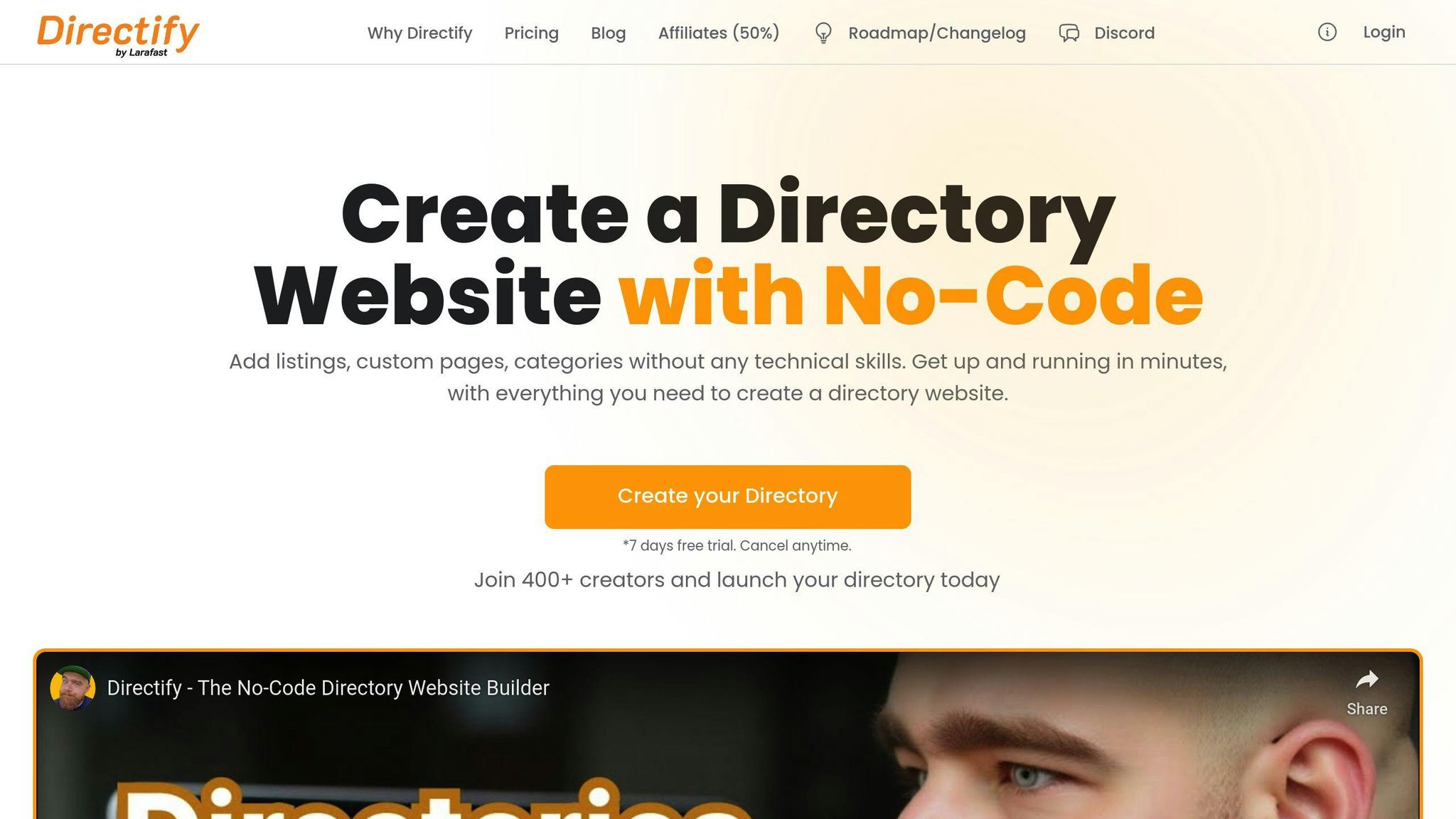
Directify is a no-code platform tailored specifically for directory websites with paid listings. It takes care of the technical complexities, making directory management straightforward while including features to help you monetize:
- Built-in tools for payment processing and subscription management
- Flexible options for creating listing tiers and submission forms
- Permissions for team members and collaboration features
- SEO tools to improve search rankings
- Mobile-responsive themes for a better user experience
Directify plans start at $24.5/month, with options for unlimited directories and lifetime access. One of its standout features is handling hosting, security updates, and payment integration for you - so you can focus on growing your directory.
Once you’ve chosen the right platform, you can set up pricing tiers and payment gateways to start generating revenue from your directory website.
Steps to Add Paid Listings to Your Directory Website
How to Create Listing Tiers and Pricing Plans
Offer a mix of free and paid listing tiers to appeal to a wide range of users while encouraging upgrades. Here's an example of a tiered pricing structure:
| Tier Level | Features | Price Range |
|---|---|---|
| Free Basic | Single listing, basic info, standard categories | $0 |
| Premium | Better visibility, detailed descriptions, multiple images | $29–49/month |
| Featured | Top search placement, highlighted listing, promotional badge | $79–99/month |
When setting up these tiers in Directify, use its built-in paid submissions system to customize fields and visibility for each level. This ensures clear differences between pricing tiers while keeping the platform user-friendly. Once tiers are configured, make sure to integrate secure payment gateways like Stripe or PayPal for smooth transactions.
Setting Up Payment Gateways: Stripe and PayPal

Adding payment gateways requires focusing on both security and ease of use. Start by enabling your chosen gateway in your directory platform's settings. For Stripe integration:
- Create a Stripe account and get your API access keys.
- Enable Stripe in your platform's settings.
- Set up webhook endpoints and test payments using Stripe's test mode.
Stripe charges 2.9% + $0.30 per transaction and has no setup fees, making it a good fit for various transaction volumes. Similarly, PayPal offers a sandbox environment to test payments securely.
Once payment processing is ready, it's time to manage user submissions effectively to maintain a high-quality directory.
Managing Submissions and Expiration Dates
Managing submissions efficiently helps keep your directory high-quality and ensures paid listings provide ongoing value. Directify offers automation tools to make this process easier:
- Automate approvals for verified users, while requiring manual review for others.
- Set listing durations based on the tier (e.g., 30 days for basic, 90 days for premium).
- Send automated reminders to users before their listings expire.
Also, establish a review process to verify business details, category accuracy, and image quality. This ensures your directory meets high standards without adding too much administrative work.
sbb-itb-adc1e8a
Improving User Experience on Paid Directory Websites
Using Categories and Tags to Organize Listings
Organizing listings with clear categories and tags makes it easier for users to find what they need. For example, a restaurant directory might feature broad categories like "Dining", with subcategories such as "Italian", and tags like "Outdoor Seating" or "Late Night Menu."
| Category Level | Purpose | Example |
|---|---|---|
| Primary | General grouping | Restaurants, Hotels |
| Subcategories | Specific types | Italian, Boutique |
| Tags | Additional filters | Pet-friendly, Wi-Fi |
Once your listings are well-organized, the next step is to improve user submissions by adding custom fields that provide detailed, relevant information.
Adding Custom Fields to User Submissions
Custom fields help make listings more useful by including details that aid decision-making. The fields you choose should align with the type of directory you're running:
| Directory Type | Key Fields |
|---|---|
| Business Directory | Business hours, Payment methods |
| Event Venues | Capacity, Available facilities |
| Professional Services | Credentials, Response time |
After fine-tuning submission forms, shift your focus to enhancing premium listings to make them visually distinct and appealing.
Making Premium Listings Stand Out
To justify the cost of premium listings, use design elements that make them visually prominent. Subtle touches like badges, priority placement, and expanded photo galleries (e.g., 10 images for premium vs. 2 for basic) can make a big difference without overshadowing free options.
Key features for premium listings include:
- Highlighted backgrounds in soft, eye-catching colors
- Verification marks or premium badges
- Priority ranking in search results
- Access to more multimedia options, like videos or larger galleries
These upgrades not only make premium listings more attractive but also add value to the overall directory. The goal is to balance providing clear benefits for paying users while maintaining an accessible experience for everyone.
Ways to Earn More from Your Directory Website
Selling Featured Listings and Ad Space
If you're running a directory website, offering premium features can be a great way to boost your income. Featured listings and ad space are two popular options that can bring in extra revenue while adding value for advertisers.
| Premium Feature | Description | Typical Price Range |
|---|---|---|
| Homepage Spotlight | Displayed prominently on the homepage | $99-299/month |
| Category Banner | Top placement in specific categories | $49-149/month |
| Sponsored Search | Priority appearance in search results | $79-199/month |
| Enhanced Media | Add videos or virtual tours | $29-99/add-on |
These premium features give businesses better visibility, increasing their chances of attracting customers. Advertisers are often willing to pay for these benefits, making them a win-win.
When it comes to ad placement, location matters. High-traffic areas like sidebars or category pages are ideal for maximizing exposure without overwhelming your users. Sidebar ads, especially those placed above the fold, tend to perform well. Just make sure your ads are clearly labeled and don't clutter your site - user experience should always come first.
Once you've set up these monetization options, it's important to monitor their performance. This helps you fine-tune your approach and ensures you're striking the right balance between earning revenue and keeping users happy.
Tracking Income and User Engagement
To make the most of your directory's earning potential, tracking key metrics is non-negotiable. Tools like Stripe and PayPal offer detailed analytics that can help you understand your revenue streams and user behavior. Here are some key metrics to focus on:
| Metric | What to Track | Why It Matters |
|---|---|---|
| Revenue per Listing | Average earnings per paid listing | Helps adjust pricing strategies |
| Conversion Rate | Free to paid listing ratio | Evaluates sales funnel success |
| User Engagement | Time spent on premium listings | Highlights feature effectiveness |
| Advertiser Retention | Renewal rates for paid features | Tracks long-term sustainability |
Analyzing user behavior can reveal patterns that help you refine your strategy. For instance, identifying peak usage times allows you to promote premium features when engagement is highest. Use these insights to:
- Launch targeted campaigns during high-traffic periods
- Improve premium features based on user feedback
- Optimize ad placement for better results
Conclusion: Start Monetizing Your Directory Website
Adding paid listings to your directory website has never been easier with the rise of no-code tools and simple payment gateways. Platforms like Directify make it possible to start earning without needing deep technical knowledge or a large upfront budget.
You can begin with a small financial commitment and choose a platform that aligns with your goals and resources.
To make the most out of paid listings, consider these key strategies:
| Success Factor | How to Apply It | What to Expect |
|---|---|---|
| Payment & Listing Structure | Set up clear pricing tiers and secure payment methods | Smooth transactions and easier decision-making for users |
| User Experience | Ensure your site is mobile-friendly | Higher submission rates |
| Monetization Mix | Offer paid listings alongside premium features | Broader revenue opportunities |
Consistently updating and refining your directory is essential for long-term success. Use analytics tools to monitor performance and adjust your pricing or features based on user behavior and market trends.
Directify provides flexible plans for both new and expanding directories. For secure payments, follow the steps for integrating Stripe or PayPal as mentioned earlier.
FAQs
Here are answers to some frequently asked questions about payment integration and testing:
How to integrate Stripe with a website?
To integrate Stripe into your directory website, follow these steps:
| Step | Description |
|---|---|
| Account Setup | Sign up for a Stripe account, verify it, and get your API keys from the dashboard. |
| Platform Setup | Configure payment endpoints and ensure secure processing. |
| Testing Mode | Enable test mode and set up webhooks for payment notifications. |
For directory websites using platforms like Business Directory Plugin:
- Enable Stripe Module: Go to your plugin settings and activate Stripe.
- Connect Your Account: Use the "Connect to Stripe" option to authorize your account.
- Set Up Payments: Configure payment plans and enable the testing environment.
Testing Tips:
- Use Stripe's test mode to simulate payments.
- Confirm webhook settings for real-time updates.
- Test error handling and notifications thoroughly.
- Switch to live mode only after ensuring everything works smoothly.
What payment features should I test?
When testing your payment integration, focus on these areas:
- Processing payments for all listing tiers.
- Managing subscriptions, including renewals and cancellations.
- Handling payment errors and sending notifications.
- Ensuring real-time updates on payment statuses.
Regularly monitor your payment gateway's performance and apply security updates to maintain reliability. A well-tested Stripe integration ensures secure transactions and a professional experience for your users and businesses.
Ready to Build Your Directory?
Start creating your professional directory website today with Directify's no-code platform.
Get Started Free